HPCS - 606.325.9990

  • Home
  • About
    • Directions
  • Blog
  • Services
  • Pay Invoice
  • Remote Access
  • Support
    • Email Domain Scanner

7 Advantages of Adopting a Defense-in-Depth Cybersecurity Strategy

August 5, 2023 by Nathan Parks

Cybersecurity threats are becoming increasingly sophisticated and prevalent. In 2022, ransomware attacks jumped by 93%. The introduction of ChatGPT will only increase the potential damage of cyber-attacks.

Protecting sensitive data and systems requires a comprehensive approach. One that goes beyond a single security solution. This is where a defense-in-depth cybersecurity strategy comes into play.

In this article, we will explore the advantages of adopting a defense-in-depth approach. As well as its benefits for safeguarding your network and mitigating cyber risks.

What Does a Defense-in-Depth Approach Mean?

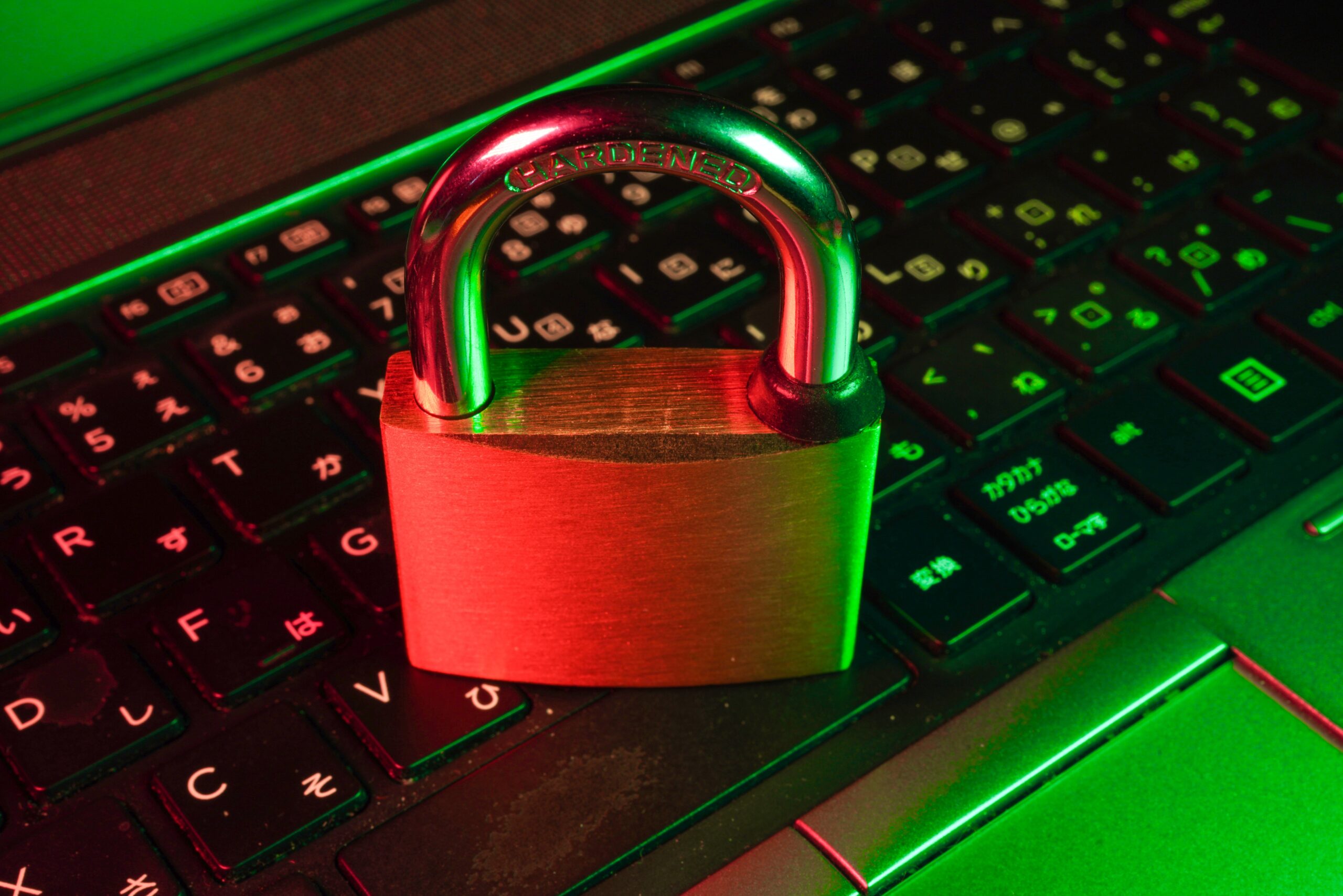
First, let’s define what it means to use a defense-in-depth approach to cybersecurity. In simple terms, it means having many layers of protection for your technology.

Just like how you might have locks on your doors, security cameras, and an alarm system to protect your home. A defense-in-depth strategy uses different security measures to safeguard your digital assets.

Many layers are better than one when it comes to security. A defense-in-depth strategy combines various defenses. This is to make it harder for cyber attackers to succeed.

These defenses can include things like:

  • Firewalls
  • Antivirus software
  • Strong passwords
  • Encryption
  • Employee training
  • Access management
  • Endpoint security

A defense-in-depth strategy also emphasizes early detection and rapid response. It involves using tools and systems that can quickly detect suspicious activities. This enables you to catch an attacker early. And take action to reduce any damage.

A defense-in-depth cybersecurity strategy provides a strong and resilient defense system. Its several layers of security increase the chances of staying secure. This is especially important in today’s dangerous online world.

Advantages of Adopting a Defense-in-Depth Approach

Enhanced Protection

A defense-in-depth strategy protects your infrastructure in many ways. This makes it harder for attackers to breach your systems. Implementing a combination of security controls creates a robust security posture. Each layer acts as a barrier. If one layer fails, the others remain intact. This minimizes the chances of a successful attack.

Early Detection and Rapid Response

With a defense-in-depth approach, you have many security measures that can detect threats. As well as alert you to these potential dangers.

Some systems used to detect suspicious activities and anomalies in real-time are:

  • Intrusion detection systems
  • Network monitoring tools
  • Security incident and event management (SIEM) solutions

This early detection allows you to respond quickly. This minimizes the impact of a potential breach. It also reduces the time an attacker has to access critical assets.

Reduces Single Point of Failure

A defense-in-depth strategy ensures that there is no single point of failure. Such as a single vulnerability that could compromise your entire security infrastructure. Relying solely on one security measure, such as a firewall, could prove catastrophic. Especially if it fails or if attackers find a way to bypass it.

It’s better to diversify your security controls. You create a resilient defense system. One where the failure of one control does not lead to a complete breach.

Protects Against Advanced Threats

Cybercriminals continually evolve their techniques to overcome traditional security measures. A defense-in-depth approach accounts for this reality. It incorporates advanced security technologies. Such as behavior analytics, machine learning, and artificial intelligence. These technologies can identify and block sophisticated threats. This includes zero-day exploits and targeted attacks. They do this by analyzing patterns and detecting anomalies in real-time.

Compliance and Regulatory Requirements

Many industries are subject to specific compliance and regulatory requirements. Such as the General Data Protection Regulation (GDPR) or the Health Insurance Portability and Accountability Act (HIPAA). Adopting a defense-in-depth strategy can help you meet these requirements.

By implementing the necessary security controls, you show a proactive approach. It’s proof of your efforts to protect sensitive data. This can help you avoid legal and financial penalties associated with non-compliance.

Flexibility and Scalability

A defense-in-depth strategy offers flexibility and scalability. This allows you to adapt to evolving threats and business needs. New technologies and security measures emerge all the time. You can integrate them seamlessly into your existing security framework.

Furthermore, you can scale your security controls as your organization grows. This ensures that your cybersecurity strategy remains effective. As well as aligned with your expanding infrastructure.

Employee Education and Awareness

A defense-in-depth approach extends beyond technology. It encompasses employee education and awareness. Educating your employees about cybersecurity best practices can significantly reduce risk. Especially those coming from human error and social engineering attacks.

Training and awareness programs create a human firewall. This complements your technical controls. It’s also a key component of any defense-in-depth cybersecurity approach.

Protect Your Business from Today’s Sophisticated Cyber Threats

We are in an era where cyber threats are constantly evolving. They are becoming even more sophisticated with AI. A defense-in-depth cybersecurity strategy is a must. Having many layers of security can significantly enhance your protection against cyber threats.

Looking to learn more about a defense-in-depth approach? Give us a call today to schedule a cybersecurity chat.

—
Featured Image Credit

This Article has been Republished with Permission from The Technology Press.
Filed Under: Cybersecurity

Is Your Online Shopping App Invading Your Privacy?

July 25, 2023 by Nathan Parks

Online shopping has become a common activity for many people. It’s convenient, easy, and allows us to buy items from the comfort of our homes. But with the rise of online shopping, there are concerns about privacy and security.

Not all shopping apps are created equally. Often people get excited and install an app without checking privacy practices. Apps can collect more data from your smartphone than you realize. Whether you use your phone for personal use, business use, or both, your data can be at risk. So can your privacy.

Shady Data Collection Practices from Popular Shopping App SHEIN

Recently, security experts found a popular shopping app spying on users’ copy-and-paste activity. This app was tracking users’ keystrokes, screenshots, and even their GPS location. This raises the question: Is your online shopping app invading your privacy?

SHEIN is the app in question, and it’s a popular shopping app with millions of users. According to reports, researchers found the app collecting data from users’ clipboards. This included any text that users copied and pasted. This means that if the user copied and pasted sensitive information, the app would have access to it. Including things like passwords or credit card numbers.

Not only that but the app was also found to be tracking users’ GPS location. SHEIN was also collecting data from device sensors, including the accelerometer and gyroscope. This means that the app was able to track users’ movements. As well as collecting information about how they were using their device.

The app’s developers claimed that the data collection was for “optimizing user experience.” A very vague explanation that’s used by other app developers as well. The developers stated that the collected data was only used for internal purposes. But this explanation wasn’t enough to please privacy experts. Those experts raised concerns about the app’s data collection practices.

Temu Data Collection Practices Questioned

This isn’t the first time people caught an app grabbing data without users’ knowledge. Many popular apps collect data from their users, often for targeted advertising purposes.

The popularity of the shopping app Temu has been exploding recently. Since the app appeared in a Superbowl Ad in 2023, people have been flocking to it.

But Temu is another shopping app with questionable data collection practices. Some of the data that Temu collects includes:

  • Your name, address, phone number
  • Details you enter, like birthday, photo, and social profiles
  • Your phone’s operating system and version
  • Your IPS address and GPS location (if enabled)
  • Your browsing data

So, what can you do to protect your privacy when using online shopping apps? Read on for a few tips.

Tips to Protect Your Privacy When Using Shopping Apps

Know What You’re Getting Into (Read the Privacy Policy)

Yes, it’s hard to stop and read a long privacy policy when you just want to use an app. But, if you don’t, you could end up sharing a lot more than you realize.

Before downloading an app, make sure to read its privacy policy. This will give you an idea of what data the app takes and how it’s used. You can try searching keywords like “collect” and “your data” to save time. This can help you jump to data collection details.

If you do this before you download, you may change your mind. After learning how much data the app collects from you, you may decide it just isn’t worth it.

Turn Off Sharing Features

Turn off any data-sharing features you don’t need in your phone’s settings. Such as location services. Most smartphones allow you to choose which apps you want to use it with.

Explore both your phone settings and the app’s settings to restrict data sharing as much as possible.

Remove Apps You Don’t Use

If you’re not using the app regularly, remove it from your phone. Having unused apps on your phone is a big risk. Even if they’re not actively in use, those apps can still collect data. For example, browsing activity or your activity in other mobile apps.

Research Apps Before You Download

It’s easy to get caught up in a fad. You hear your friend talk about an app, and you want to check it out. But it pays to research before you download. Look up the app and check security and data collection keywords. Inform yourself first before downloading an app that might be compromising your device data and activity.

Shop on a Website Instead

You can limit the dangerous data collection of shopping apps by using a website instead. Most legitimate companies have an official website. One where you can buy the same things as you can buy using the app.

Improve Your Mobile Device Security

Mobile devices are regularly used more than computers. But they often lack the same type of security. Give us a call today to schedule a chat about protecting your mobile device data.

—
Featured Image Credit

This Article has been Republished with Permission from The Technology Press.

Filed Under: Cybersecurity

How to Use Threat Modeling to Reduce Your Cybersecurity Risk

July 20, 2023 by Nathan Parks

As cyber threats continue to increase, businesses must take proactive steps. They need to protect their sensitive data and assets from cybercriminals. Threats to data security are persistent and they come from many different places.

Today’s offices are digitally sophisticated. Just about every activity relies on some type of technology and data sharing. Hackers can breach these systems from several entry points. This includes computers, smartphones, cloud applications, and network infrastructure.

It’s estimated that cybercriminals can penetrate 93% of company networks.

One approach that can help organizations fight these intrusions is threat modeling. Threat modeling is a process used in cybersecurity. It involves identifying potential threats and vulnerabilities to an organization’s assets and systems.

Threat modeling helps businesses prioritize their risk management and mitigation strategies. The goal is to mitigate the risk of falling victim to a costly cyber incident.

Here are the steps businesses can follow to conduct a threat model.

Identify Assets That Need Protection

The first step is to identify assets that are most critical to the business. This includes sensitive data, intellectual property, or financial information. What is it that cybercriminals will be going after?

Don’t forget to include phishing-related assets. Such as company email accounts. Business email compromise is a fast-growing attack. It capitalizes on breached company email logins.

Identify Potential Threats

The next step is to identify potential threats to these assets. Some common threats could be cyber-attacks such as phishing. Others would be ransomware, malware, or social engineering.

Another category of threats could be physical breaches or insider threats. This is where employees or vendors have access to sensitive information.

Remember, threats aren’t always malicious. Human error causes approximately 88% of data breaches. So, ensure you’re aware of mistake-related threats, such as:

  • The use of weak passwords
  • Unclear cloud use policies
  • Lack of employee training
  • Poor or non-existent BYOD policies

Assess Likelihood and Impact

Once you’ve identified potential threats, take the next step. This is to assess the likelihood and impact of these threats. Businesses must understand how likely each threat is to occur. As well as the potential impact on their operations, reputation, and financial stability. This will help rank the risk management and mitigation strategies.

Base the threat likelihood on current cybersecurity statistics. As well as a thorough vulnerability assessment. It’s best this assessment is by a trusted 3rd party IT service provider. If you’re doing your assessment with only internal input, you’re bound to miss something.

Prioritize Risk Management Strategies

Prioritize risk management strategies next. Base this on the likelihood and impact of each potential threat. Most businesses can’t tackle everything at once due to time and cost constraints. So, it’s important to rank solutions based on the biggest impact on cybersecurity.

Some common strategies to consider include implementing:

  • Access controls
  • Firewalls
  • Intrusion detection systems
  • Employee training and awareness programs
  • Endpoint device management

Businesses must also determine which strategies are most cost-effective. They should also align with their business goals.

Continuously Review and Update the Model

Threat modeling is not a one-time process. Cyber threats are constantly evolving. Businesses must continuously review and update their threat models. This will help ensure that their security measures are effective. As well as aligned with their business objectives.

Benefits of Threat Modeling for Businesses

Threat modeling is an essential process for businesses to reduce their cybersecurity risk. Identifying potential threats and vulnerabilities to their assets and systems is important. It helps them rank risk management strategies. As well as reduce the likelihood and impact of cyber incidents.

Here are just a few of the benefits of adding threat modeling to a cybersecurity strategy.

Improved Understanding of Threats and Vulnerabilities

Threat modeling can help businesses gain a better understanding of specific threats. It also uncovers vulnerabilities that could impact their assets. It identifies gaps in their security measures and helps uncover risk management strategies.

Ongoing threat modeling can also help companies stay out in front of new threats. Artificial intelligence is birthing new types of cyber threats every day. Companies that are complacent can fall victim to new attacks.

Cost-effective Risk Management

Addressing risk management based on the likelihood and impact of threats reduces costs. It can optimize company security investments. This will help ensure that businesses divide resources effectively and efficiently.

Business Alignment

Threat modeling can help ensure that security measures align with the business objectives. This can reduce the potential impact of security measures on business operations. It also helps coordinate security, goals, and operations.

Reduced Risk of Cyber Incidents

By implementing targeted risk management strategies, businesses can reduce risk. This includes the likelihood and impact of cybersecurity incidents. This will help to protect their assets. It also reduces the negative consequences of a security breach.

Get Started with Comprehensive Threat Identification

Wondering how to get started with a threat assessment? Our experts can help you put in place a comprehensive threat modeling program. Give us a call today to schedule a discussion.

—
Featured Image Credit

This Article has been Republished with Permission from The Technology Press.

Filed Under: Cybersecurity

Business Email Compromise Jumped 81% Last Year! Learn How to Fight It

July 15, 2023 by Nathan Parks

In recent years, electronic mail (email for short) has become an essential part of our daily lives. Many people use it for various purposes, including business transactions. With the increasing dependence on digital technology, cybercrime has grown. A significant cyber threat facing businesses today is Business Email Compromise (BEC).

Why is it important to pay particular attention to BEC attacks? Because they’ve been on the rise. BEC attacks jumped 81% in 2022, and as many as 98% of employees fail to report the threat.

What is Business Email Compromise (BEC)?

Business Email Compromise (BEC) is a type of scam in which criminals use email fraud to target victims. These victims include both businesses and individuals. They especially target those who perform wire transfer payments.

The scammer pretends to be a high-level executive or business partner. Scammers send emails to employees, customers, or vendors. These emails request them to make payments or transfer funds in some form.

According to the FBI, BEC scams cost businesses around $1.8 billion in 2020. That figure increased to $2.4 billion in 2021. These scams can cause severe financial damage to businesses and individuals. They can also harm their reputations.

How Does BEC Work?

BEC attacks are usually well-crafted and sophisticated, making it difficult to identify them. The attacker first researches the target organization and its employees. They gain knowledge about the company’s operations, suppliers, customers, and business partners.

Much of this information is freely available online. Scammers can find it on sites like LinkedIn, Facebook, and organizations’ websites. Once the attacker has enough information, they can craft a convincing email. It’s designed to appear to come from a high-level executive or a business partner.

The email will request the recipient to make a payment or transfer funds. It usually emphasizes the request being for an urgent and confidential matter. For example, a new business opportunity, a vendor payment, or a foreign tax payment.

The email will often contain a sense of urgency, compelling the recipient to act quickly. The attacker may also use social engineering tactics. Such as posing as a trusted contact or creating a fake website that mimics the company’s site. These tactics make the email seem more legitimate.

If the recipient falls for the scam and makes the payment, the attacker will make off with the funds. In their wake, they leave the victim with financial losses.

How to Fight Business Email Compromise

BEC scams can be challenging to prevent. But there are measures businesses and individuals can take to cut the risk of falling victim to them.

Educate Employees

Organizations should educate their employees about the risks of BEC. This includes providing training on how to identify and avoid these scams. Employees should be aware of the tactics used by scammers. For example, urgent requests, social engineering, and fake websites.

Training should also include email account security, including:

  • Checking their sent folder regularly for any strange messages
  • Using a strong email password with at least 12 characters
  • Changing their email password regularly
  • Storing their email password in a secure manner
  • Notifying an IT contact if they suspect a phishing email

Enable Email Authentication

Organizations should implement email authentication protocols.

This includes:

  • Domain-based Message Authentication, Reporting, and Conformance (DMARC)
  • Sender Policy Framework (SPF)
  • DomainKeys Identified Mail (DKIM)

These protocols help verify the authenticity of the sender’s email address. They also reduce the risk of email spoofing. Another benefit is to keep your emails from ending up in junk mail folders.

Deploy a Payment Verification Processes

Organizations should deploy payment verification processes, such as two-factor authentication. Another protocol is confirmation from multiple parties. This ensures that all wire transfer requests are legitimate. It’s always better to have more than one person verify a financial payment request.

Check Financial Transactions

Organizations should check all financial transactions. Look for irregularities, such as unexpected wire transfers or changes in payment instructions.

If you don’t perform these according to a schedule, it is easy for them to get forgotten. Set up a calendar item for the review of financial transactions. Use a schedule that makes sense for your business and transaction volume.

Establish a Response Plan

Organizations should establish a response plan for BEC incidents. This includes procedures for reporting the incident. As well as freezing the transfer and notifying law enforcement.

Use Anti-phishing Software

Businesses and individuals can use anti-phishing software to detect and block fraudulent emails. As AI and machine learning gain widespread use, these tools become more effective.

The use of AI in phishing technology continues to increase. Businesses must be vigilant and take steps to protect themselves.

Need Help with Email Security Solutions?

It only takes a moment for money to leave your account and be unrecoverable. Don’t leave your business emails unprotected. Give us a call today to discuss our email security solutions.

—
Featured Image Credit

This Article has been Republished with Permission from The Technology Press.

Filed Under: Cybersecurity

What Is Push-Bombing & How Can You Prevent It?

June 30, 2023 by Nathan Parks

Cloud account takeover has become a major problem for organizations. Think about how much work your company does that requires a username and password. Employees end up having to log into many different systems or cloud apps.

Hackers use various methods to get those login credentials. The goal is to gain access to business data as a user. As well as launch sophisticated attacks, and send insider phishing emails.

How bad has the problem of account breaches become? Between 2019 and 2021, account takeover (ATO) rose by 307%.

Doesn’t Multi-Factor Authentication Stop Credential Breaches?

Many organizations and individuals use multi-factor authentication (MFA). It’s a way to stop attackers that have gained access to their usernames and passwords. MFA is very effective at protecting cloud accounts and has been for many years.

But it’s that effectiveness that has spurred workarounds by hackers. One of these nefarious ways to get around MFA is push-bombing.

How Does Push-Bombing Work?

When a user enables MFA on an account, they typically receive a code or authorization prompt of some type. The user enters their login credentials. Then the system sends an authorization request to the user to complete their login.

The MFA code or approval request will usually come through some type of “push” message. Users can receive it in a few ways:

  • SMS/text
  • A device popup
  • An app notification

Receiving that notification is a normal part of the multi-factor authentication login. It’s something the user would be familiar with.

With push-bombing, hackers start with the user’s credentials. They may get them through phishing or from a large data breach password dump.

They take advantage of that push notification process. Hackers attempt to log in many times. This sends the legitimate user several push notifications, one after the other.

Many people question the receipt of an unexpected code that they didn’t request. But when someone is bombarded with these, it can be easy to mistakenly click to approve access.

Push-bombing is a form of social engineering attack designed to:

  • Confuse the user
  • Wear the user down
  • Trick the user into approving the MFA request to give the hacker access

Ways to Combat Push-Bombing at Your Organization

Educate Employees

Knowledge is power. When a user experiences a push-bombing attack it can be disruptive and confusing. If employees have education beforehand, they’ll be better prepared to defend themselves.

Let employees know what push-bombing is and how it works. Provide them with training on what to do if they receive MFA notifications they didn’t request.

You should also give your staff a way to report these attacks. This enables your IT security team to alert other users. They can then also take steps to secure everyone’s login credentials.

Reduce Business App “Sprawl”

On average, employees use 36 different cloud-based services per day. That’s a lot of logins to keep up with. The more logins someone has to use, the greater the risk of a stolen password.

Take a look at how many applications your company uses. Look for ways to reduce app “sprawl” by consolidating. Platforms like Microsoft 365 and Google Workspace offer many tools behind one login. Streamlining your cloud environment improves security and productivity.

Adopt Phishing-Resistant MFA Solutions

You can thwart push-bombing attacks altogether by moving to a different form of MFA. Phishing-resistant MFA uses a device passkey or physical security key for authentication.

There is no push notification to approve with this type of authentication. This solution is more complex to set up, but it’s also more secure than text or app-based MFA.

Enforce Strong Password Policies

For hackers to send several push-notifications, they need to have the user’s login. Enforcing strong password policies reduces the chance that a password will get breached.

Standard practices for strong password policies include:

  • Using at least one upper and one lower-case letter
  • Using a combination of letters, numbers, and symbols
  • Not using personal information to create a password
  • Storing passwords securely
  • Not reusing passwords across several accounts

Put in Place an Advanced Identity Management Solution

Advanced identity management solutions can also help you prevent push-bombing attacks. They will typically combine all logins through a single sign-on solution. Users, then have just one login and MFA prompt to manage, rather than several.

Additionally, businesses can use identity management solutions to install contextual login policies. These enable a higher level of security by adding access enforcement flexibility. The system could automatically block login attempts outside a desired geographic area. It could also block logins during certain times or when other contextual factors aren’t met.

Do You Need Help Improving Your Identity & Access Security?

Multi-factor authentication alone isn’t enough. Companies need several layers of protection to reduce their risk of a cloud breach.

Are you looking for some help to reinforce your access security? Give us a call today to schedule a chat.

—
Featured Image Credit

This Article has been Republished with Permission from The Technology Press.

Filed Under: Cybersecurity

Is It Time to Ditch the Passwords for More Secure Passkeys?

June 25, 2023 by Nathan Parks

Passwords are the most used method of authentication, but they are also one of the weakest. Passwords are often easy to guess or steal. Also, many people use the same password across several accounts. This makes them vulnerable to cyber-attacks.

The sheer volume of passwords that people need to remember is large. This leads to habits that make it easier for criminals to breach passwords. Such as creating weak passwords and storing passwords in a non-secure way.

61% of all data breaches involve stolen or hacked login credentials.

In recent years a better solution has emerged – passkeys. Passkeys are more secure than passwords. They also provide a more convenient way of logging into your accounts.

What is Passkey Authentication?

Passkeys work by generating a unique code for each login attempt. This code is then validated by the server. This code is created using a combination of information about the user and the device they are using to log in.

You can think of passkeys as a digital credential. A passkey allows someone to authenticate in a web service or a cloud-based account. There is no need to enter a username and password.

This authentication technology leverages Web Authentication (WebAuthn). This is a core component of FIDO2, an authentication protocol. Instead of using a unique password, it uses public-key cryptography for user verification.

The user’s device stores the authentication key. This can be a computer, mobile device, or security key device. It is then used by sites that have passkeys enabled to log the user in.

Advantages of Using Passkeys Instead of Passwords

More Secure

One advantage of passkeys is that they are more secure than passwords. Passkeys are more difficult to hack. This is true especially if the key generates from a combination of biometric and device data.

Biometric data can include things like facial recognition or fingerprint scans. Device information can include things like the device’s MAC address or location. This makes it much harder for hackers to gain access to your accounts.

More Convenient

Another advantage of passkeys over passwords is that they are more convenient. With password authentication, users often must remember many complex passwords. This can be difficult and time-consuming.

Forgetting passwords is common and doing a reset can slow an employee down. Each time a person has to reset their password, it takes an average of three minutes and 46 seconds.

Passkeys erase this problem by providing a single code. You can use that same code across all your accounts. This makes it much easier to log in to your accounts. It also reduces the likelihood of forgetting or misplacing your password.

Phishing-Resistant

Credential phishing scams are prevalent. Scammers send emails that tell a user something is wrong with their account. They click on a link that takes them to a disguised login page created to steal their username and password.

When a user is authenticating with a passkey instead, this won’t work on them. Even if a hacker had a user’s password, it wouldn’t matter. They would need the device passkey authentication to breach the account.

Are There Any Disadvantages to Using Passkeys?

Passkeys are definitely looking like the future of authentication technology. But there are some issues that you may run into when adopting them right now.

Passkeys Aren’t Yet Widely Adopted

One of the main disadvantages is that passkeys are not yet widely adopted. Many websites and cloud services still rely on passwords. They don’t have passkey capability yet.

This means that users may have to continue using passwords for some accounts. At least until passkeys become more widely adopted. It could be slightly awkward to use passkeys for some accounts and passwords for others.

Passkeys Need Extra Hardware & Software

One thing about passwords is that they’re free and easy to use. You simply make them up as you sign up for a site.

Passkeys need extra hardware and software to generate and validate the codes. This can be costly for businesses to put in place at first. But there is potential savings from improved security and user experience. These benefits can outweigh the cost of passkeys.

Prepare Now for the Future of Authentication

Passkeys are a more secure and convenient alternative to passwords. They are more difficult to hack, and they provide a more convenient way of logging into your accounts. But passkeys are not yet widely adopted. Additionally, businesses may need to budget for implementation.

Despite these challenges, passkeys represent a promising solution. Specifically, to the problem of weak passwords. They have the potential to improve cybersecurity. As well as boost productivity for businesses and individuals alike.

Need Help Improving Your Identity & Account Security?

Take advantage of the new passkey authentication by exploring it now. It’s the perfect time to ease in and begin putting it in place for your organization.

Give us a call today to schedule a consultation.

—
Featured Image Credit

This Article has been Republished with Permission from The Technology Press.

Filed Under: Cybersecurity

These Everyday Objects Can Lead to Identity Theft

May 25, 2023 by Nathan Parks

You wouldn’t think a child’s toy could lead to a breach of your personal data. But this happens all the time. What about your trash can sitting outside? Is it a treasure trove for an identity thief trolling the neighborhood at night?

Many everyday objects can lead to identity theft. They often get overlooked because people focus on their computers and cloud accounts. It’s important to have strong passwords and use antivirus on your PC. But you also need to be wary of other ways that hackers and thieves can get to your personal data.

Here are six common things that criminals can use to steal your information.

Old Smart Phones

People replace their smartphones about every two and a half years. That’s a lot of old phones laying around containing personal data.

Just think of all the information our mobile phones hold. We have synced connections with cloud services. Phones also hold banking apps, business apps, and personal health apps. These are all nicely stored on one small device.

As chip technology has advanced, smartphones have been able to hold more “stuff.” This means documents and spreadsheets can now be easily stored on them. Along with reams of photos and videos.

A cybercriminal could easily strike data theft gold by finding an old smartphone. They often end up at charity shops or in the trash. Make sure that you properly clean any old phones by erasing all data. You should also dispose of them properly. You shouldn’t just throw electronics away like normal garbage.

Wireless Printers

Most printers are wireless these days. This means they are part of your home or work network. Printing from another room is convenient. But the fact that your printer connects to the internet can leave your data at risk.

Printers can store sensitive documents, such as tax paperwork or contracts. Most people don’t think about printers when putting data security protections in place. This leaves them open to a hack. When this happens, a hacker can get data from the printer. They could also leverage it to breach other devices on the same network.

Protect printers by ensuring you keep their firmware updated. Always install updates as soon as possible. You should also turn it off when you don’t need it. When it’s off it’s not accessible by a hacker.

USB Sticks

Did you ever run across a USB stick laying around? Perhaps you thought you scored a free removable storage device. Or you are a good Samaritan and want to try to return it to the rightful owner. But first, you need to see what’s on it to find them.

You should never plug a USB device of unknown origin into your computer. This is an old trick in the hacker’s book. They plant malware on these sticks and then leave them around as bait. As soon as you plug it into your device, it can infect it.

Old Hard Drives

When you are disposing of an old computer or old removable drive, make sure it’s clean. Just deleting your files isn’t enough. Computer hard drives can have other personal data stored in system and program files.

Plus, if you’re still logged into a browser, a lot of your personal data could be at risk. Browsers store passwords, credit cards, visit history, and more.

It’s best to get help from an IT professional to properly erase your computer drive. This will make it safe for disposal, donation, or reuse.

Trash Can

Identity theft criminals aren’t only online. They can also be trolling the neighborhood on trash day. Be careful what you throw out in your trash.

It’s not unusual for garbage to enable identity theft. It can include pre-approved credit card offers that you considered “junk mail.” Your trash can also hold voided checks, old bank statements, and insurance paperwork. Any of these items could have the information thieves need to commit fraud or pose as you.

A shredder can be your best friend in this case. You should shred any documents that contain personal information. Do this before you throw them out. This extra step could save you from a costly incident.

Children’s IoT Devices

Electronic bears, smart kid watches, Wi-Fi-connected Barbies… all toys that hackers love. Mattel’s Hello Barbie was found to enable the theft of personal information. A hacker could also use its microphone to spy on families.

These futuristic toys are often what kids want. Parents might think they’re cool, but don’t consider their data security. After all, these are children’s toys. But that often means they can be easier to hack. Cybercriminals also zero in on these IoT toys, knowing they aren’t going to be as hard to breach.

You should be wary of any new internet-connected devices you bring into your home. That includes toys! Install all firmware updates. Additionally, do your homework to see if a data breach has involved the toy.

Schedule a Home IT Security Audit & Sleep Better at Night

Don’t let the thought of identity theft keep you up at night. Give us a call today and schedule a home IT security audit. You’ll be glad you did.

—
Featured Image Credit

This Article has been Republished with Permission from The Technology Press.

Filed Under: Cybersecurity

Why You Need to Think Twice Before Using Lensa AI & Other Self-Portrait Apps

April 25, 2023 by Nathan Parks

It’s a common theme. You begin seeing these amazing CGI images of your friends on Facebook or Instagram. You think, “How can I make one?”

Filters and self-portrait apps have come a long way. You can now make yourself look like Hollywood’s version of a character in the next hit animated film. It still kind of looks like you, only a dream version with “perfect” hair, skin, and facial features.

The latest of these modern vanity marvels to make the rounds is Lensa AI. You upload about 10 photos so the app can feed that data into its AI algorithm. Then, once it maps your facial features, it generates several fantasy selfies of you.

These magical avatars don’t come for free though. While you can download the app for free and use it in a limited fashion, you need to pay to do more. To get unlimited access for one week, it’s $2.99. There are several pricing tiers for its avatar packs and membership access. These range from $3.99 for Avatars Pack 1 to $35.99 for full membership.

It sounds like a little harmless digital fun, right? That’s what many companies making apps like this like you to think. Vanity is an easy sell, and who doesn’t want to have a fabulous profile pic?

But for Lensa AI and several similar self-portrait apps, you’re paying more than you know. The cost comes from the data privacy rights you’re giving up. And these can go far beyond the app itself.

Why Worry About Data Privacy with Lensa AI & Similar Apps?

Thanks to laws like GDPR, software and app developers need to tell you what they do with your data. Looking at the app at the Mac App Store, a few alarming things jump out.

Data Used to Track You

Once you download the Lensa AI app, it can track your phone activity. The app store states that the app may use purchases and unique identifiers to track you. And this doesn’t mean only tracking you while in Lensa AI. It can track you across websites and apps owned by other companies.

Data Collected

Lensa AI scours your device for a lot of different data points. By downloading it, you permit it to do this. Some of the tracking links to you personally (such as linked to your name, IP address, or phone number). It collects a lot of other data, but not with your name or another identifier on it.

Data collected and linked to you:

  • User content (such as the images you upload)

Data collected, but not linked to you:

  • Purchases you make on websites or apps
  • Usage data for apps, etc.
  • Identifiers (this isn’t specified, but could mean things like city or gender)
  • Diagnostics from your device

Loss of Rights to Your Uploaded Images

What apps like Lensa AI do with your data is a grey area. Many tech companies, such as Facebook, have been known to act irresponsibly with user data. Many are purposely vague in their terms and conditions, leaving the door open.

One section from the Lensa AI Terms that users agree to states the following:

“…solely for the purposes of operating or improving Lensa, you grant us a time-limited, revocable, non-exclusive, royalty-free, worldwide, fully-paid, transferable, sub-licensable license to use, reproduce, modify, distribute, create derivative works of your User Content, without any additional compensation to you…”

For the sole purpose of “operating” Lensa, could mean anything. It could mean that to make more money to operate the business, the company needs to use your images. Note that it also states it can modify, distribute, etc. YOUR user content.

Things You Can Do to Protect Your Data Privacy

Don’t Immediately Jump on Every Fad

This one may be hard when you see all your friends using a new app. It’s natural to want to be a part of that. But try waiting a week. Most likely those avatar images from the latest selfie app won’t be blowing up your feed anymore.

Read App Terms & Conditions

Take the time to read an app’s terms. You are often giving up more data privacy rights than you realize. This includes giving an app the ability to track just about everything you do on your device. Be aware of what’s at risk before you download a new app.

Restrict Data Collection

If you can’t resist an app’s charms, at least make it as secure as possible. This includes taking the time to restrict its data collection features, where possible.

Use your phone’s privacy and security settings to turn off data sharing. For the Lensa AI app, you can also contact the company to request that it delete your data from its servers. Its privacy policy states to email privacy@lensa-ai.com for questions and concerns.

Get a Device Privacy Checkup

The more apps you use, the more complicated data privacy can get. Don’t leave it to chance. We’ll be happy to help. Give us a call today to schedule a device privacy checkup.

—
Featured Image Credit

This Article has been Republished with Permission from The Technology Press.

Filed Under: Cybersecurity

Data Backup Is Not Enough, You Also Need Data Protection

April 15, 2023 by Nathan Parks

The need to back up data has been around since floppy disks. Data loss happens due to viruses, hard drive crashes, and other mishaps. Most people using any type of technology have experienced data loss at least once.

There are about 140,000 hard drive crashes in the US weekly. Every five years, 20% of SMBs suffer data loss due to a major disaster. This has helped to drive a robust cloud backup market that continues to grow.

But one thing that’s changed with data backup in the last few years is security. Simply backing up data so you don’t lose it, isn’t enough anymore. Backing up has morphed into data protection.

What does this mean?

It means that backups need more cybersecurity protection. They face threats such as sleeper ransomware and supply chain attacks. Cloud-based backup has the benefit of being convenient, accessible, and effective. But there is also a need for certain security considerations with an online service.

Companies need to consider data protection when planning a backup and recovery strategy. The tools used need to protect against the growing number of threats.

Some of the modern threats to data backups include:

  • Data Center Outage: The “cloud” basically means data on a server. That server is internet accessible. Those servers can crash. Data centers holding the servers can also have outages.
  • Sleeper Ransomware: This type of ransomware stays silent after infecting a device. The goal is to have it infect all backups. Then, when it’s activated, the victim doesn’t have a clean backup to restore.
  • Supply Chain Attacks: Supply chain attacks have been growing. They include attacks on cloud vendors that companies use. Those vendors suffer a cyberattack that then spreads throughout their clients.
  • Misconfiguration: Misconfiguration of security settings can be a problem. It can allow attackers to gain access to cloud storage. Those attackers can then download and delete files as they like.

What to Look for in a Data Protection Backup System

Just backing up data isn’t enough. You need to make sure the application you use provides adequate data protection. Here are some of the things to look for when reviewing a backup solution.

Ransomware Prevention

Ransomware can spread throughout a network to infect any data that exists. This includes data on computers, servers, and mobile devices. It also includes data in cloud platforms syncing with those devices.

95% of ransomware attacks also try to infect data backup systems.

It’s important that any data backup solution you use have protection from ransomware. This type of feature restricts automated file changes that can happen to documents.

Continuous Data Protection

Continuous data protection is a feature that will back up files as users make changes. This differs from systems that back up on a schedule, such as once per day.

Continuous data protection ensures that the system captures the latest file changes. This mitigates data loss that can occur if a system crashes before the next backup. With the speed of data generation these days, losing a day’s worth of data can be very costly.

Threat Identification

Data protection incorporates proactive measures to protect files. Look for threat identification functions in a backup service. Threat identification is a type of malware and virus prevention tool.

It looks for malware in new and existing backups. This helps stop sleeper ransomware and similar malware from infecting all backups.

Zero-Trust Tactics

Cybersecurity professionals around the world promote zero-trust security measures. This includes measures such as multi-factor authentication and application safelisting.

A zero-trust approach holds that all users and applications need ongoing authentication. So, just because a user is logged into the system today, doesn’t mean they are completely trusted.

Some of the zero-trust features to look for include:

  • Multi-factor authentication
  • Distinct file and folder permissions
  • Contextual authentication
  • Verification of permissions for file changes

Backup Redundancy

If you back up to a USB drive or CD, you have one copy of those files. If something happens to that copy, you could experience data loss.

Cloud backup providers should have backup redundancy in place. This means that the server holding your data mirrors that data to another server. This prevents data loss in the case of a server crash, natural disaster, or cyberattack.

Air Gapping for More Sensitive Data

Air gapping is a system that keeps a copy of your data offline or separated in another way. This would entail making a second backup copy of your data. Then, putting it on another server. A server disconnected from external sources.

This is a feature that you may want to seek out if you deal with highly sensitive data. It helps to ensure that you have at least one other copy of your backup. A copy walled off from common internet-based attacks.

Need Help With Secure Backup & Data Protection Solutions?

Have you updated your backup process for today’s threats? Give us a call today to schedule a chat about data backup and protection.

—
Featured Image Credit

This Article has been Republished with Permission from The Technology Press.

Filed Under: Cybersecurity

6 Steps to Effective Vulnerability Management for Your Technology

April 5, 2023 by Nathan Parks

Technology vulnerabilities are an unfortunate side effect of innovation. When software companies push new updates, there are often weaknesses in the code. Hackers exploit these. Software makers then address the vulnerabilities with a security patch. The cycle continues with each new software or hardware update.

It’s estimated that about 93% of corporate networks are susceptible to hacker penetration. Assessing and managing these network weaknesses isn’t always a priority for organizations. Many suffer breaches because of poor vulnerability management.

61% of security vulnerabilities in corporate networks are over 5 years old.

Many types of attacks take advantage of unpatched vulnerabilities in software code. This includes ransomware attacks, account takeover, and other common cyberattacks.

Whenever you see the term “exploit” when reading about a data breach, that’s an exploit of a vulnerability. Hackers write malicious code to take advantage of these “loopholes.” That code can allow them to elevate privileges. Or to run system commands or perform other dangerous network intrusions.

Putting together an effective vulnerability management process can reduce your risk. It doesn’t have to be complicated. Just follow the steps we’ve outlined below to get started.

red padlock on black computer keyboard

Vulnerability Management Process


Step 1. Identify Your Assets

First, you need to identify all the devices and software that you will need to assess. You’ll want to include all devices that connect to your network, including:

  • Computers
  • Smartphones
  • Tablets
  • IoT devices
  • Servers
  • Cloud services

Vulnerabilities can appear in many places. Such as the code for an operating system, a cloud platform, software, or firmware. So, you’ll want a full inventory of all systems and endpoints in your network.

This is an important first step, so you will know what you need to include in the scope of your assessment.

Step 2: Perform a Vulnerability Assessment

Next will be performing a vulnerability assessment. This is usually done by an IT professional using assessment software. This could also include penetration testing.

During the assessment, the professional scans your systems for any known vulnerabilities. The assessment tool matches found software versions against vulnerability databases.

For example, a database may note that a version of Microsoft Exchange has a vulnerability. If it detects that you have a server running that same version, it will note it as a found weakness in your security.

Step 3: Prioritize Vulnerabilities by Threat Level

The assessment results provide a roadmap for mitigating network vulnerabilities. There will usually be several, and not all are as severe as others. You will next need to rank which ones to address first.

At the top of the list should be those experts consider severe. Many vulnerability assessment tools will use the Common Vulnerability Scoring System (CVSS). This categorizes vulnerabilities with a rating score from low to critical severity.

You’ll also want to rank vulnerabilities by your own business needs. If a software is only used occasionally on one device, you may consider it a lower priority to address. While a vulnerability in software used on all employee devices, you may rank as a high priority.

Step 4: Remediate Vulnerabilities

Remediate vulnerabilities according to the prioritized list. Remediation often means applying an issued update or security patch. But it may also mean upgrading hardware that may be too old for you to update.

Another form of remediation may be ringfencing. This is when you “wall off” an application or device from others in the network. A company may do this if a scan turns up a vulnerability for which a patch does not yet exist.

Increasing advanced threat protection settings in your network can also help. Once you’ve remediated the weaknesses, you should confirm the fixes.

Step 5: Document Activities

It’s important to document the vulnerability assessment and management process. This is vital both for cybersecurity needs and compliance.

You’ll want to document when you performed the last vulnerability assessment. Then document all the steps taken to remediate each vulnerability. Keeping these logs will be vital in the case of a future breach. They also can inform the next vulnerability assessment.

Step 6. Schedule Your Next Vulnerability Assessment Scan

Once you go through a round of vulnerability assessment and mitigation, you’re not done. Vulnerability management is an ongoing process.

In 2022, there were over 22,500 new vulnerabilities documented. Developers continue to update their software continuously. Each of those updates can introduce new vulnerabilities into your network.

It’s a best practice to have a schedule for regular vulnerability assessments. The cycle of assessment, prioritization, mitigation, and documentation should be ongoing. This fortifies your network against cyberattacks. It removes one of the main enablers of hackers.

Get Started with a Vulnerability Assessment

Take the first step towards effective vulnerability management. We can help you fortify your network against attacks. Give us a call today to schedule a vulnerability assessment to get started.


—
Featured Image Credit

This Article has been Republished with Permission from The Technology Press.

Filed Under: Cybersecurity

  • « Previous Page
  • 1
  • …
  • 4
  • 5
  • 6
  • 7
  • Next Page »

Reviews

High Performance Computer place picture
High Performance Computer
4.5
Based on 26 reviews
powered by Google
review us on
Mary Ann Travis profile picture
Mary Ann Travis
19:18 13 Mar 21
Local and honest
Curtis Bradley profile picture
Curtis Bradley
14:27 13 May 20
Nathan & Joe solved our computer related problem quickly and we were able to submit our application to PNC Bank for the Payroll Protection Program.
CJ profile picture
CJ
16:58 11 Oct 19
I have used HPC's services several times, always with the same result ………………… they fix my problem in a timely manner at a reasonable cost. They are also extremely friendly, and even stayed after closing a few minutes in order for me to get there and pick up my computer.
Great place to do business !!!
paula fletcher profile picture
paula fletcher
19:22 02 Oct 19
The staff at High Performance Computer Services has taken of the IT issues in our office for many years. They are friendly, competent, helpful, and knowledgeable. I have never had to wait for a problem to be addressed. Nathan and his staff are available when I call and diligent in resolving issues. I highly recommend them!
Richard Miranda profile picture
Richard Miranda
16:07 10 Sep 19
Needed help with my Computer and they took care of my problem. Great to work with.
Harry Wiley profile picture
Harry Wiley
23:38 03 Sep 19
Quick, excellent service! The company's representative who came to our home to fix our problem was professional, courteous and an excellent representative of the company.
Jay Kemm profile picture
Jay Kemm
23:03 16 Jun 19
They checked a computer I had and told me the problem. Fair price. Not shady. Will use again if I have issues.
More reviews

Contact Info

Toll Free – 844.300.9990
Ashland, KY – 606.325.9990
Ironton, OH – 740.414.4419
Huntington, WV – 304.521.1579
Fax – 606.393.6114

Business Hours:
9am-5pm Monday through Friday
Closed Holidays

824 Greenup Ave.
PO Box 2112
Ashland, KY 41101
support@HighPCS.com

Call Us
Toll Free – 844.300.9990

Ashland, KY – 606.325.9990

Ironton, OH – 740.414.4419

Huntington, WV – 304.521.1579

Fax – 606.393.6114

Business Hours

Phone Support – 8am-5pm Monday through Friday 
Shop Hours – 9am-5pm Monday through Friday 

* Closed for Company Meeting
Wednesday Afternoon 12-1 – Please Call *
 
Emergency Services Available
support@HighPCS.com


Directions

824 Greenup Ave.
PO Box 2112
Ashland, KY 41101

NinjaCopyright © 2026 · Agency Pro Theme on Genesis Framework · WordPress · Log in